EZdrummer 3 and Superior Drummer 3 are both amazing virtual drum instruments, but they exist for two different reasons. One is built to help you write songs. The other is built to help you produce records. Picking between them isn’t really a question of which one is better. It’s a question of how you work, what stage you’re at in the process and what you want the software to do for you.
This guide walks through both products honestly, compares them where the comparison is fair and gives you a clear answer at the end.
The short answer
EZdrummer 3 is built for songwriters who want to capture an idea quickly, use mix-ready presets and finish a track without losing momentum. Superior Drummer 3 is built for producers and engineers who want complete control over every element of the drum recording. Neither one is better than the other, but one may be right for the way you work.
What EZdrummer 3 is built for
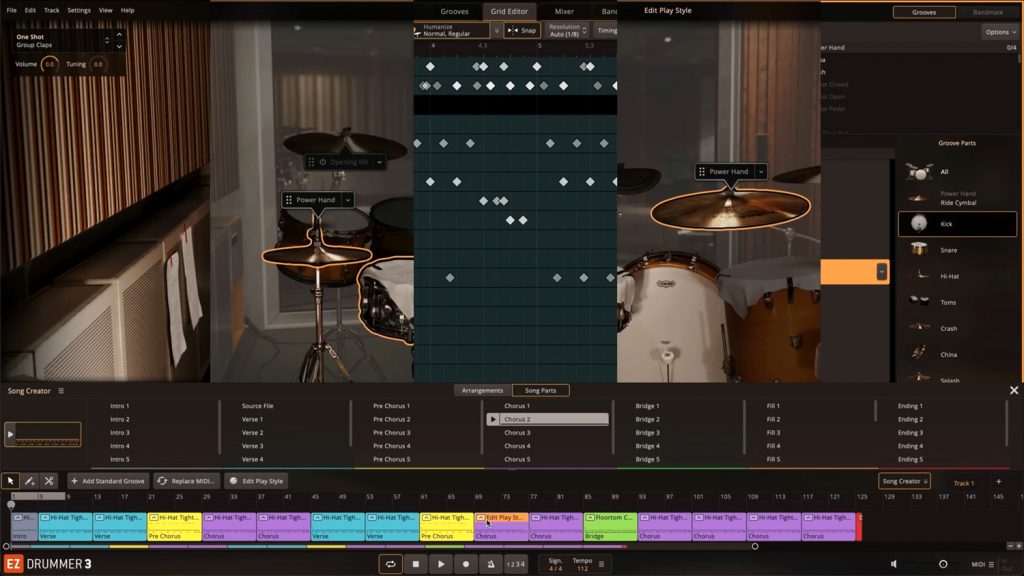
EZdrummer 3 is a songwriting tool first. Open it up, and you’re playing a kit in seconds. The interface is built around minimal friction, giving you what your song needs right now.
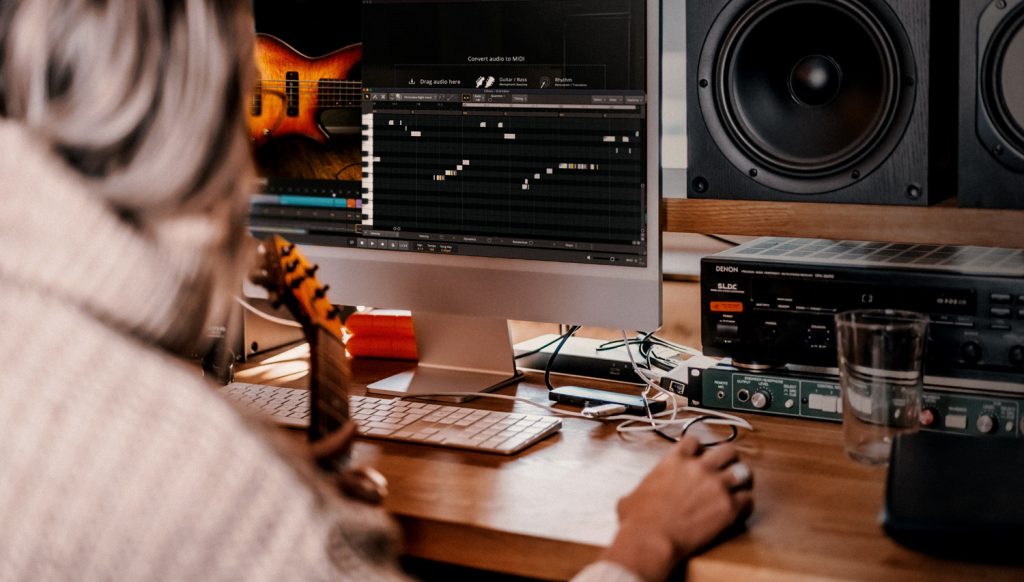
You audition grooves, drop them on a track, edit the feel and move on. The MIDI library is searchable by sound and feel with Tap2Find, so you can browse by what fits the mood of the song. Bandmate, the most-talked-about feature in EZdrummer 3, listens to a melodic part you’ve recorded (a guitar idea, a piano sketch, a bass riff) and suggests grooves that match it rhythmically, sorted by genre.
The whole experience is designed to keep momentum alive while an idea is still fresh. That’s the point of the product. You stay in the song, not in the drum software.
The sounds themselves were recorded by Grammy-winning engineer Michael Ilbert across three distinct rooms, each with its own sonic character. No matter what genre you’re writing in, there’s a sound that fits.

What Superior Drummer 3 is built for
Superior Drummer 3 is a different kind of tool. It’s a full-scale drum production studio built for the way professional engineers actually work.
The core sound library was recorded by legendary engineer George Massenburg at Galaxy Studios in Belgium, one of the most acoustically pristine recording spaces in the world, with a multi-mic setup that gives you every signal a real recording session would. Massenburg, the inventor of the parametric EQ and an engineer behind more than 400 records, captured the kits in immersive 11 channel surround. You get presets for fast results, but you also get full access to every channel, every microphone position and every bleed signal in the room.
There’s a built-in mixer with a complete suite of plugins for EQ, compression, reverb, transient shaping, distortion and tape saturation. There’s articulation-level editing for every drum. There’s deep support for nearly any electronic drum kit on the market. And there’s an expanding catalog of SDX libraries recorded to the same depth and standard as the core product.
Superior Drummer 3 isn’t just a bigger version of EZdrummer 3. It’s a different category of tool, built for someone who wants to shape a recording from the ground up. As if you recorded it yourself.

How they compare on sound and workflow
Sound and feel out of the box
Both products sound great immediately. EZdrummer 3 is voiced to feel finished from the first hit. The presets are mix-ready and the kits are tuned to sit nicely in a song without much intervention. Each preset includes a set of effect controls that lets you dial in the intensity of the processing.
Superior Drummer 3 also ships with mix-ready presets, but the underlying recording is captured in a way that gives you somewhere to go. If you want fast results, they’re a click away. If you want to shape the kit yourself, the raw material is sitting underneath every preset, ready to dive into.
Building and editing grooves
The grooves page is essentially the same in both products. Both ship with deep MIDI libraries. Both include Tap2Find. Both let you drag grooves to a song track, edit them and arrange a full performance. Superior Drummer 3 also has Song Creator built in for laying out full song structures inside the plugin.
Where the two products part ways on the songwriting side is Bandmate. It’s the one major groove-finding tool that lives only in EZdrummer 3, and it’s a genuine differentiator. Bandmate listens to a melodic part you’ve recorded and suggests grooves that fit, which is exactly the kind of feature that earns its place in a fast songwriting session.
Where Superior Drummer 3 pulls ahead is in what’s available to edit. The grid editor itself is the same in both products, but Superior Drummer 3’s deeper articulation set means there’s more to work with inside it. More hi-hat positions, more cymbal zones, more rim and stick variations, all callable from the same grid you’d use in EZdrummer 3. EZdrummer 3 is built for the songwriter. Superior Drummer 3 is built for the producer.
Mixing: from simple to studio-grade
EZdrummer 3’s mixer is clean, fast and built around presets. You move a few faders, switch between mix styles and get a finished sound. It’s designed to give you a release-ready mix without having to think like an engineer. You simply dial in the intensity of the effects that are already in place. Keep in mind that the multi-output feature is still an option if you want to go deeper in your DAW.
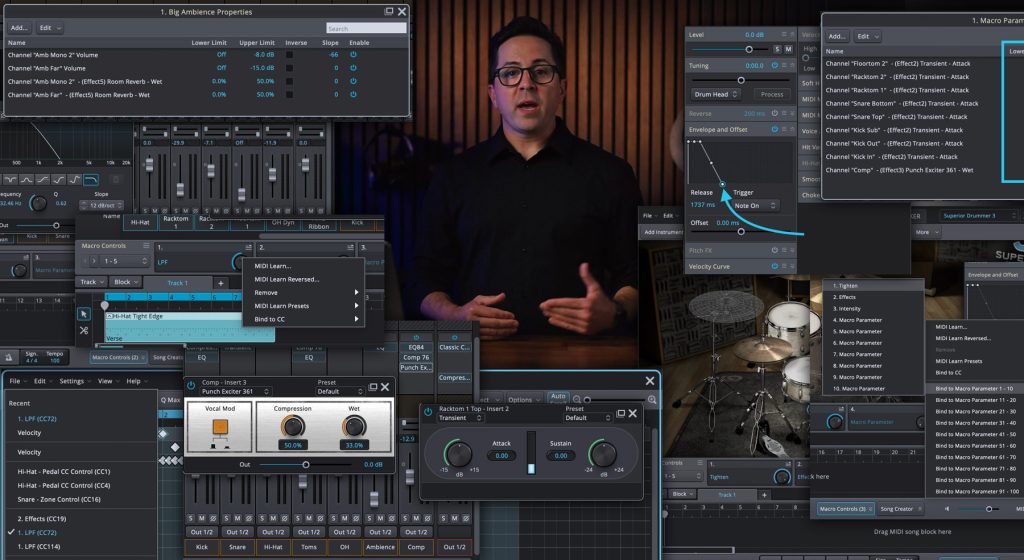
Superior Drummer 3’s mixer is a full studio in itself. Every microphone routes to its own channel. Every channel has access to a full plugin suite. You can build your own signal chains, route to buses, automate parameters with CC binds and shape the kit the same way you would in any DAW. If you’ve ever wished a drum plugin worked more like a real DAW mixer, that’s what Superior Drummer 3 is.

Workflow and learning curve
EZdrummer 3 is built for ease of use. The UI is clean, the menus are short and some choices are streamlined so they’re not confusing to a producer who is newer to digital audio.
Superior Drummer 3 is built to give you everything. The UI reflects that. There’s more to learn, more to look at and more to decide. For a songwriter mid-flow, that could be seen as friction. For an engineer building a track from the ground up, it has exactly what you need to realize your sound.
Where Superior Drummer 3 goes further
The previous section is where the two products can be fairly compared. Everything below is where Superior Drummer 3 simply offers things EZdrummer 3 doesn’t, by design. None of this makes EZdrummer 3 worse at what it does. It just makes Superior Drummer 3 the right answer for a specific kind of work.
Raw tracks, bleed and the recording itself
This is the part most EZdrummer 3 users don’t realize until they see it. Superior Drummer 3 doesn’t give you a kit. It gives you a session.
Every microphone that was placed on every drum during the original recording is available as a separate channel. The kick has its inside and outside mics. The snare has its top and bottom mics. The toms have their close mics. There are multiple positions for room mics, including close and far-field captures.
The depth goes beyond microphones. Each drum and cymbal in Superior Drummer 3 was captured with more articulations, meaning more ways to strike the instrument, than EZdrummer 3 includes. More hi-hat positions and edge variations. More cymbal zones across bow, edge, bell and choke. More rim and stick combinations on the toms and snare. That depth shows up in two places. It gives you more nuance in MIDI editing, where you can write parts that move between articulations the way a real drummer would. And it gives you more on an electronic kit, where every articulation you can play on the pad has a unique sample behind it instead of a velocity-scaled version of the same hit.
And critically, the bleed signals (the sound of the snare hitting in the kick mic, the kick hitting in the tom mics, the entire kit hitting the room mics) are all there. You can mix them in for realism. You can dial them out for control. You can isolate instruments from rooms and process them on their own channels using Route Instrument Microphones. This is what gives Superior Drummer 3 endless mixing flexibility.

The Route Instrument Microphones window in Superior Drummer 3. The ride is selected, and the options for routing the instrument are available in the open menu. The ride could be routed to a new channel with the option at the bottom of the menu.
Instrument and articulation-level control
Inside Superior Drummer 3, every instrument can be controlled with the property boxes, including controls for tuning, envelope shaping (Attack, Decay, Hold, Release and Curve Slope), pitch and sample pool size. That alone gives you a level of control you don’t get in most software.
But you can drill in deeper than that. Each articulation, not just each drum but each way the drum is hit, can be edited independently. You can tune the snare’s rimshot differently from its center hit. You can shorten the decay on the open hi-hat without touching the closed. You can stack a layered sample on the cross-stick without changing anything else about the snare.
This is the kind of control professional mixers reach for when they need a kit to sit in a specific song.

Open property boxes for a kick drum in Superior Drummer 3.
E-drum and live performance integration
Superior Drummer 3 includes deep support for electronic drum kits, with dedicated e-drum controls, custom transform mappings from other drum software and presets built around specific kit models. If you’re a drummer who wants to play your own performances into a session or use the software as a live sound source, the workflow is built for you.
EZdrummer 3 is primarily a writing tool. You can absolutely play it from a controller, and it includes presets for most kits, but the depth of e-drum integration in Superior Drummer 3 is in a different category.


Edrum page comparison between EZdrummer 3 and Superior Drummer 3.
Expansion and library growth
Both products grow over time through expansion libraries. EZdrummer 3 uses EZX expansions, which are focused, song-oriented kits and styles. Each one comes with its own MIDI library and mix presets, and they’re built to slot into the same fast workflow as the core product. EZX.
Superior Drummer 3 uses SDX expansions, which are recorded with the same multi-mic, multi-articulation depth as the core library. An SDX is a full studio session in itself.SDX
The two ecosystems are also cross-compatible to a meaningful degree. EZX libraries load into Superior Drummer 3, which means starting with EZdrummer 3 and growing into Superior Drummer 3 later doesn’t cost you what you’ve already built up.
Choose EZdrummer 3 if…
Choose Superior Drummer 3 if…
Can you upgrade from EZdrummer 3 to Superior Drummer 3?
Yes. A crossgrade option is available, which lets existing EZdrummer 3 users move up to Superior Drummer 3 at a reduced price. Any EZX libraries you’ve already purchased remain fully compatible inside Superior Drummer 3, so the work you’ve already done and the libraries you’ve already invested in carry forward.
It’s worth knowing that the crossgrade exists, because the two products are designed to live alongside each other. Plenty of people own both. EZdrummer 3 stays open while you’re writing. Superior Drummer 3 takes over when you’re ready to record and mix.
Watch this video for Taylor’s take on why he made the switch.Frequently asked questions
Is Superior Drummer 3 worth the higher price?
It depends on what you need it to do. If you’re writing songs and want a tool that sounds great immediately and stays out of your way, EZdrummer 3 is the better fit. If you produce, mix or engineer at a level where you want full access to the recording itself (every microphone, every articulation, every bleed signal, the entire signal chain), Superior Drummer 3 gives you significantly more for the higher price. Most people who choose Superior Drummer 3 do so because they want the depth, not in spite of it.
Can I use my EZX libraries in Superior Drummer 3?
Yes. Any EZX library you own will load into Superior Drummer 3 and work with the full mixer and editing tools. That means you can start with EZdrummer 3, build a library over time and bring all of it with you when you upgrade. Your investment carries forward.
Which one is better for live performance?
Superior Drummer 3. Both products include dedicated e-drum controls and presets for popular kits, but Superior Drummer 3 goes significantly deeper. It includes more articulations per pad, custom transform mappings from other drum software and a more detailed e-drum workflow built around live triggering. EZdrummer 3 can absolutely be played live from a controller, but Superior Drummer 3 is in a different category for that use.
Is Superior Drummer 3 too complex if I’m new to recording?
Not necessarily, but there’s more to learn. Superior Drummer 3 ships with mix-ready presets you can use without ever touching the deeper tools. If you want to start simple and grow into the rest later, it can absolutely work. If you want a smaller, more focused environment to learn in first, EZdrummer 3 is purpose-built for that.
Which one should you choose?
EZdrummer 3 and Superior Drummer 3 aren’t competitors. There are two answers to two different questions.
If you want a tool that helps you finish songs, start with EZdrummer 3.
If you want a tool that helps you produce records, start with Superior Drummer 3.
You can always grow into the other one later.




In this article, we dive into how EZkeys 2 can serve as a co-writer rather than just a piano plugin. We’ve highlighted five features that keep you moving forward and help you explore grooves, chords and performances so you can focus on writing and finishing more songs, faster.


